
Sign in to your account to play.
Solitaire is a family of card puzzles. The three games here share the goal of clearing the table, but reward different decisions. Sign in to open a board; no separate game download is needed.
Mobile gameplay: Solitaire
See the game board, controls and moves on a mobile screen.
How to play
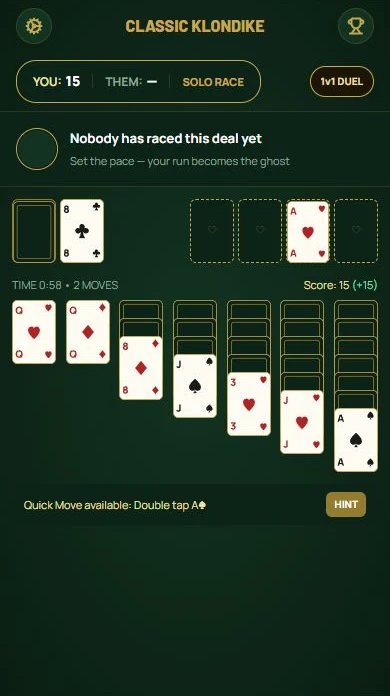
- Klondike uses seven columns and a stock. Build alternating colours down the table and suits up on the foundations.
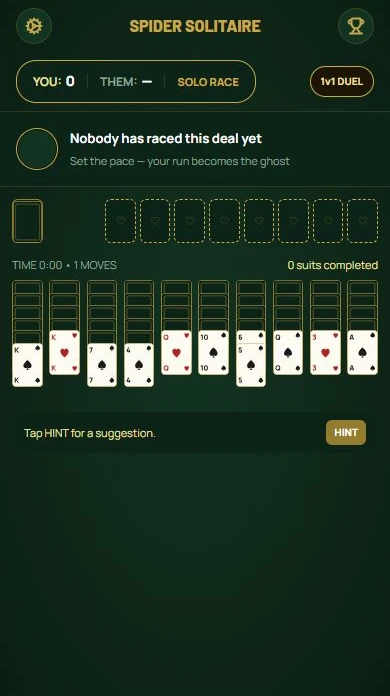
- Spider uses ten columns and two decks. Complete descending King-to-Ace runs of one suit to remove them.
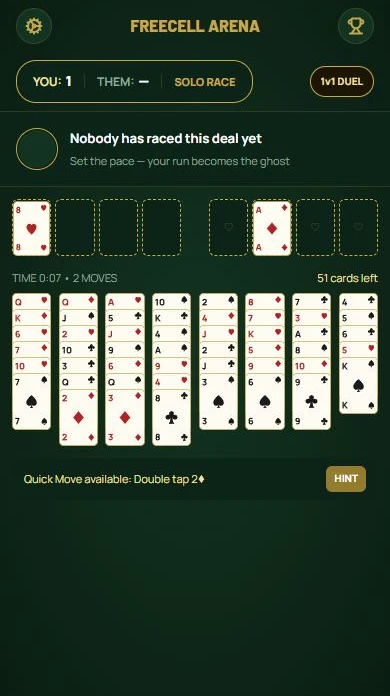
- FreeCell deals every card face up. Four temporary cells help you reorganise the eight columns.
- Classic play may compare your progress with a previously recorded run. Solitaire Duel pairs two players live on the same deal.
Example
If you like planning with full information, try FreeCell. If uncovering hidden cards is part of the fun, choose Klondike or Spider.
Playing tip
Before moving a card, check what space it creates. An empty column is often more useful than a longer sequence that exposes nothing.
Choose a variant
Frequently asked questions
Which solitaire should I start with?
Klondike is a familiar starting point. FreeCell suits players who prefer to see all the cards, while Spider rewards careful organisation of longer runs.
Is the opponent always live?
No. A recorded run in classic mode is a past attempt. Choose Solitaire Duel for a live race.